Out now on Google PlayFree to start · no card

Ensuring your kitchen isSTLLGOOD

The Recipe For A Smarter Kitchen

StillGood scans your groceries, tracks every expiry date, and tells you what to cook before anything hits the bin.

Powered by Google Gemini

On Android? Download it now

Get it on Google Play

Free to start, no card required. Upgrade inside the app whenever you want more.

On iPhone? Join the iOS waitlist

Loading the waitlist form…

Out now on Google Play
The problem

The most expensive shelf in your house is the bin.

Food gets bought with good intentions, pushed to the back of the fridge, and found too late. Not because anyone is careless, but because nobody can track forty expiry dates in their head.

$0
AUD / year

is what food wasted at home costs the average household

End Food Waste Australia
0%
still edible

of the food Australia throws away could have been eaten

End Food Waste Australia
0.0M
tonnes

of food is wasted across Australia every year

DCCEEW
Sound familiar?

The questions your kitchen never answers.

What do I actually have?

Scanned and sorted automatically

What's about to go off?

Sorted by days left

What do I eat tonight?

Recipes ranked by expiry

Did we already buy milk?

Check the pantry, not memory

How much am I wasting?

A monthly waste summary

Who used the last of it?

Pantry history on Family

How it works · 4 steps

Four steps, and the food stops disappearing.

01Scan

Scan the shop

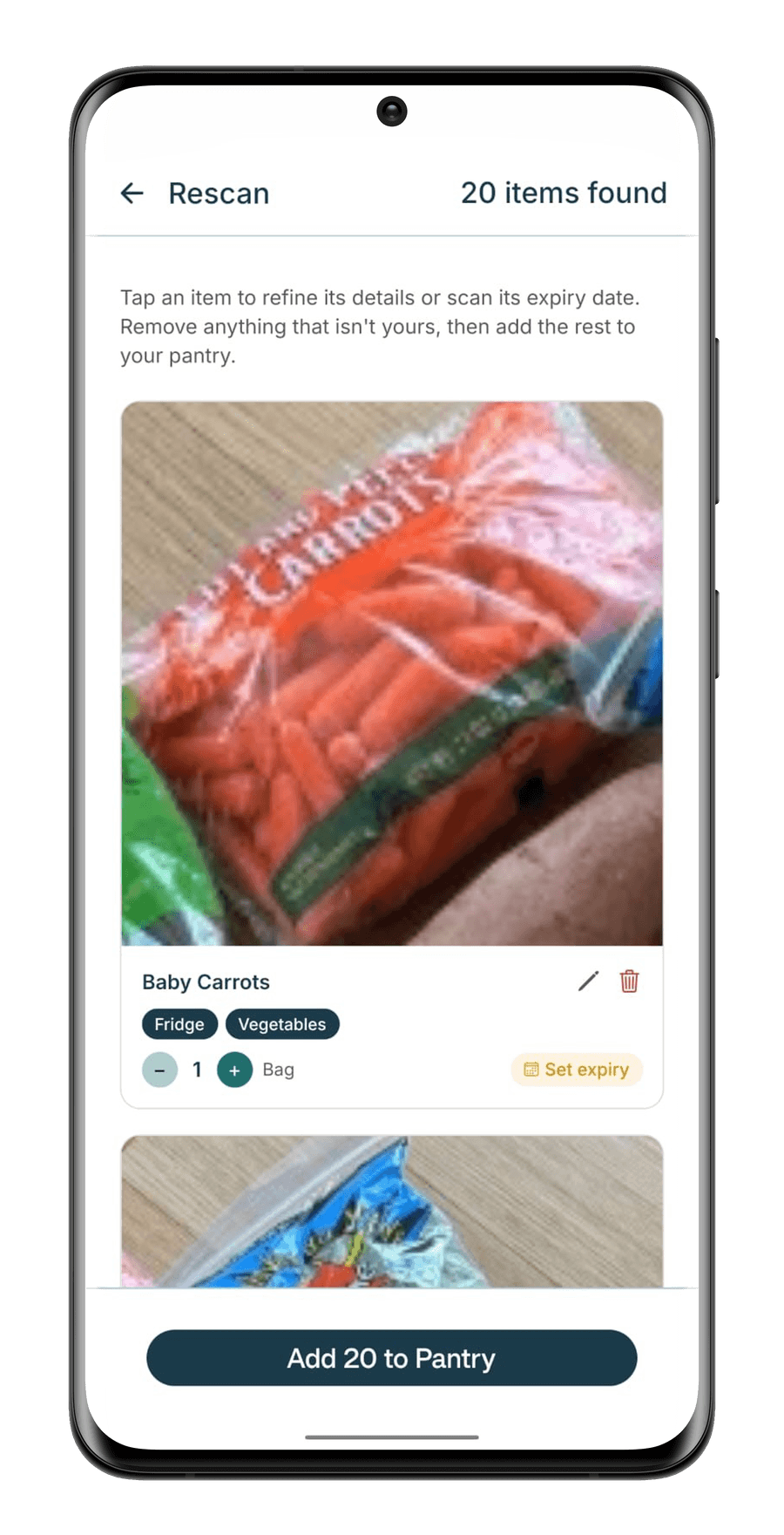
Point your camera at a product, a barcode, a receipt, or the whole haul at once. Gemini identifies each item and fills in the details.

02Pantry

Watch the dates

Your pantry sorts itself by days left. On Pro and Family the camera reads the printed date and estimates the ones that aren't printed, so the countdown starts without any typing.

03Recipes

Cook what's closest

Recipes are ranked by what's about to expire, so tonight's dinner is the one that saves the most food.

04Alerts

Get told in time

Expiry alerts and recipe nudges arrive when you choose, and a monthly summary shows what stayed out of the bin.

Inside the app

Your kitchen, running itself.

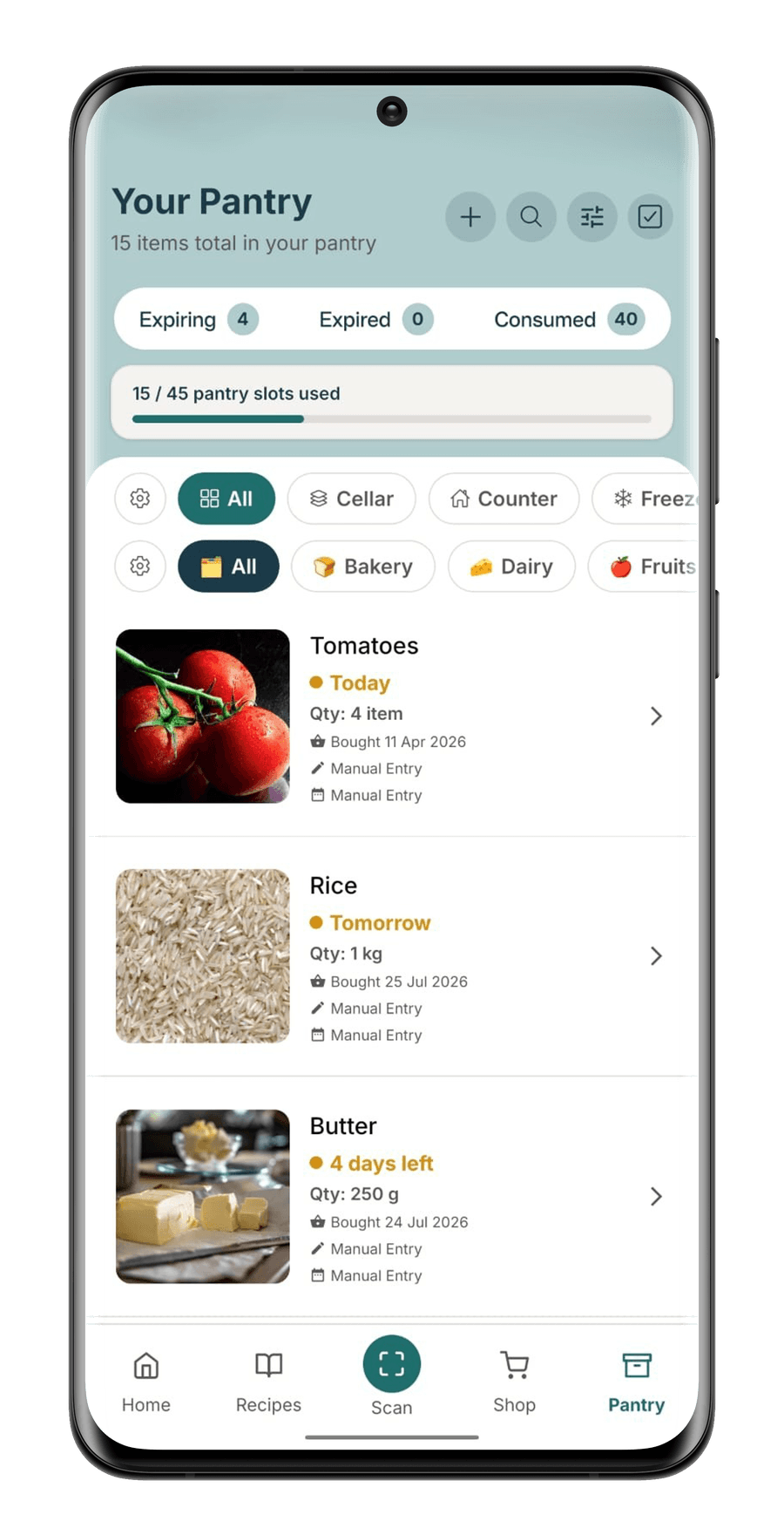
The same four steps, on real screens. Follow one household's food the whole way round: tomatoes going off today, rice tomorrow, butter with four days left.

01Scan

Point. Shoot. Shelved.

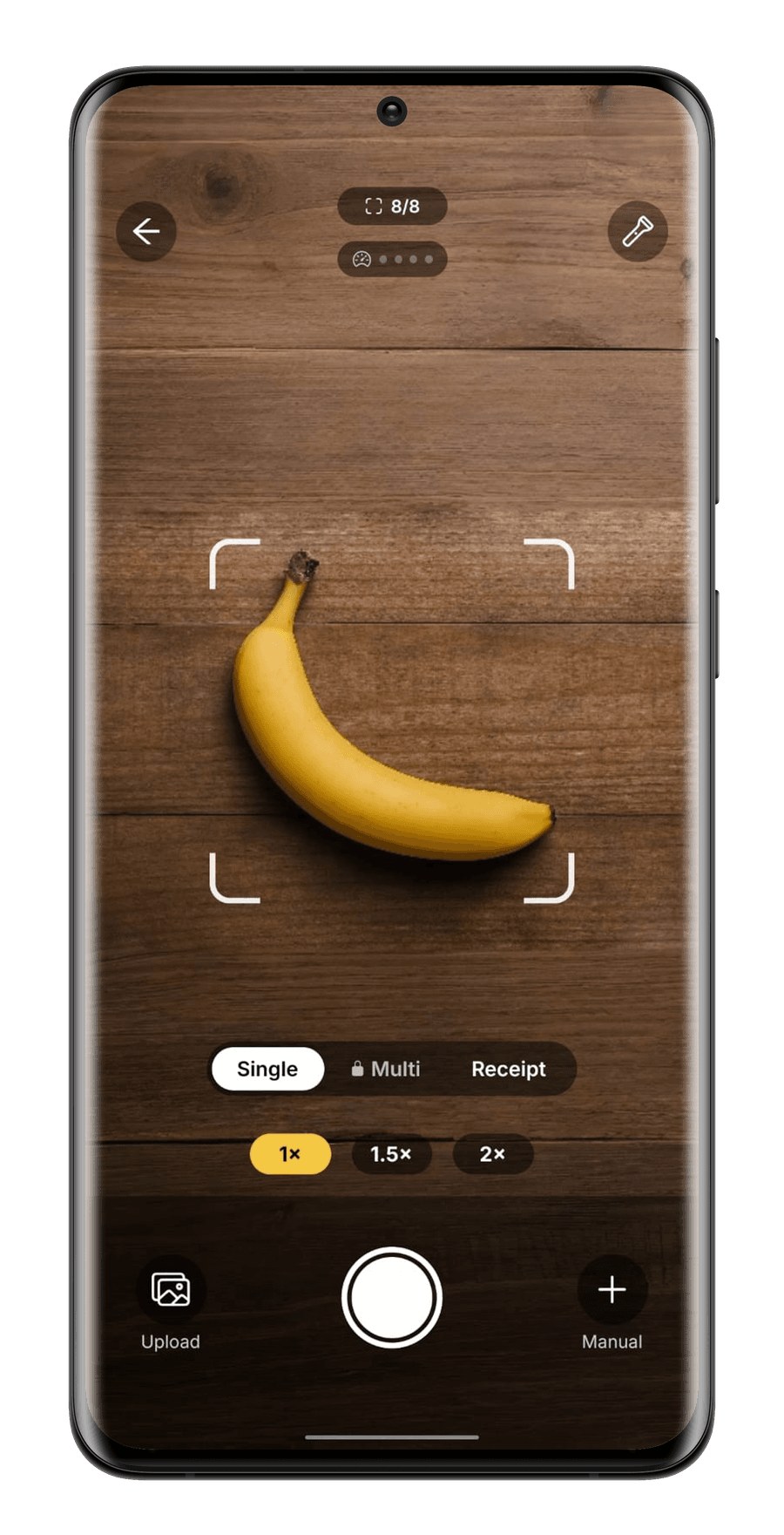
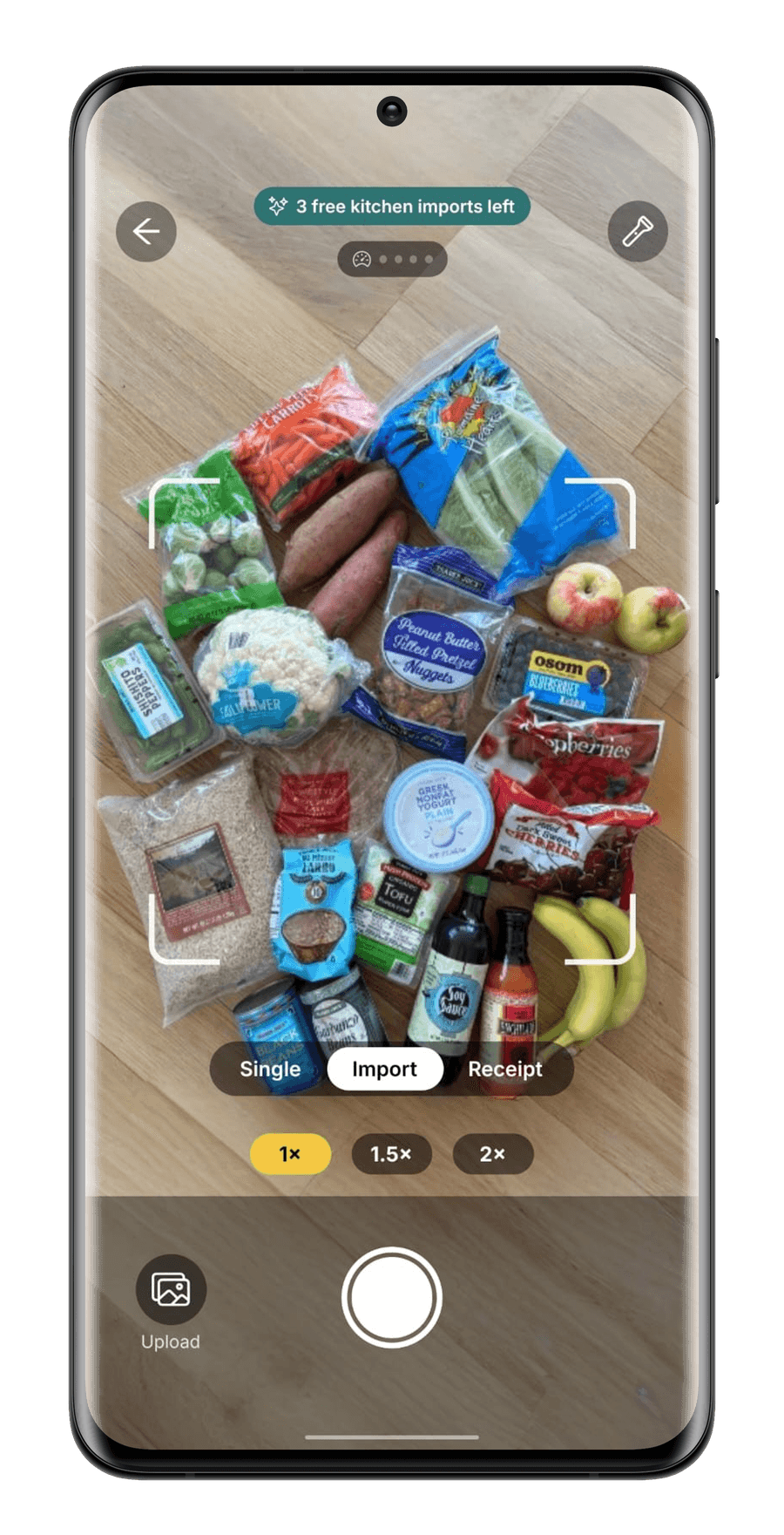
No forms, and no barcode hunting unless you want to. One toggle picks how much you are putting away: a single item, a whole benchful, or the receipt from the shop. Gemini reads the product, the quantity and the expiry, and you confirm what it found.

  • Name, category and storage spot filled in for you
  • Printed dates read by camera, the rest estimated, on Pro and Family
  • Zoom, torch and manual entry for when a label will not cooperate
  • Nothing saves until you have seen it
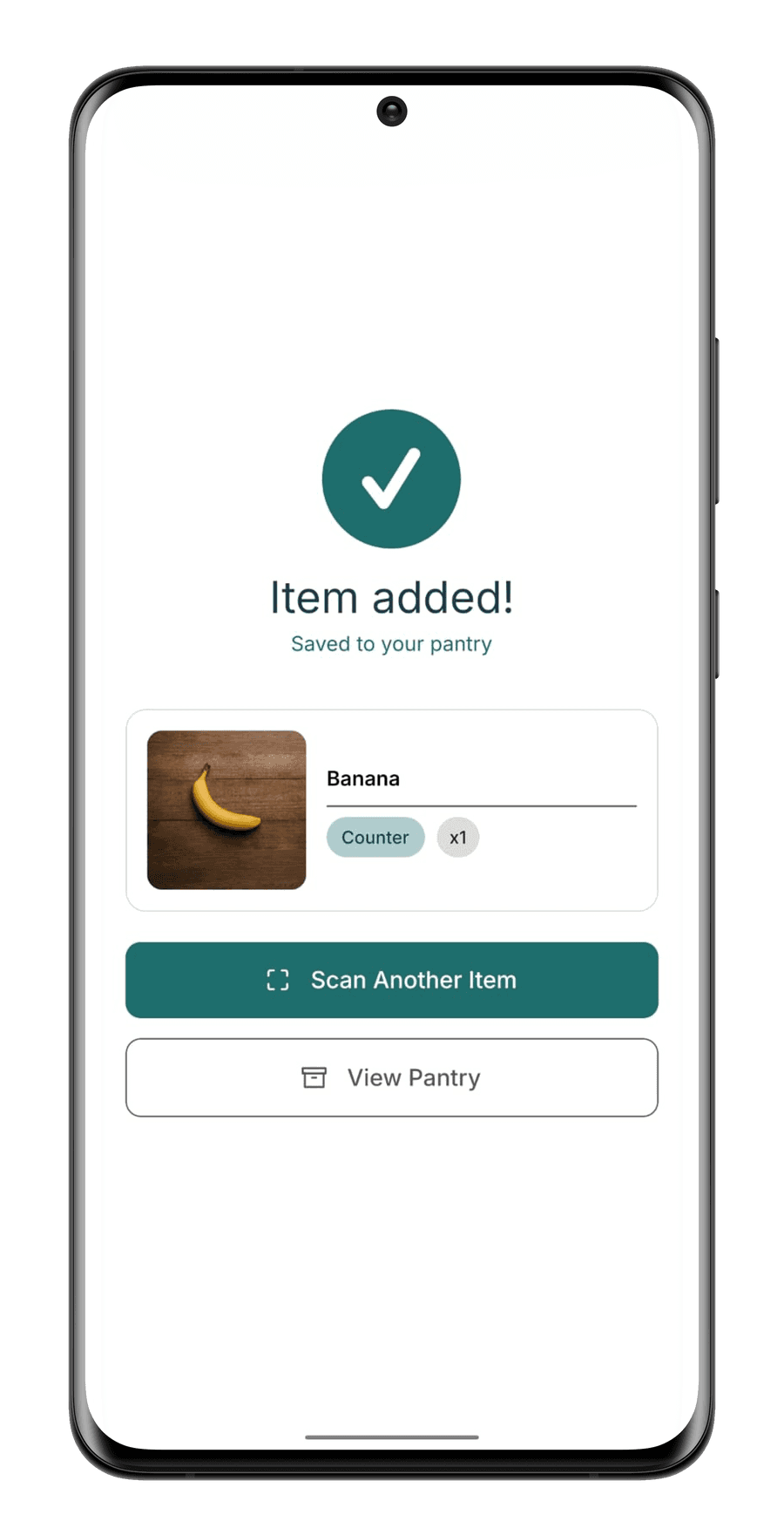
StillGood scanner in Single mode, a banana framed on a wooden bench, showing 8 of 8 scans left above a Single, Multi and Receipt toggle
One product in the frame, with the day's scans counted in the corner.
StillGood scanner in Import mode, a full grocery haul spread on the floor, showing 3 free kitchen imports left
Pro & FamilyPhotograph the whole haul & it picks out every product at once.
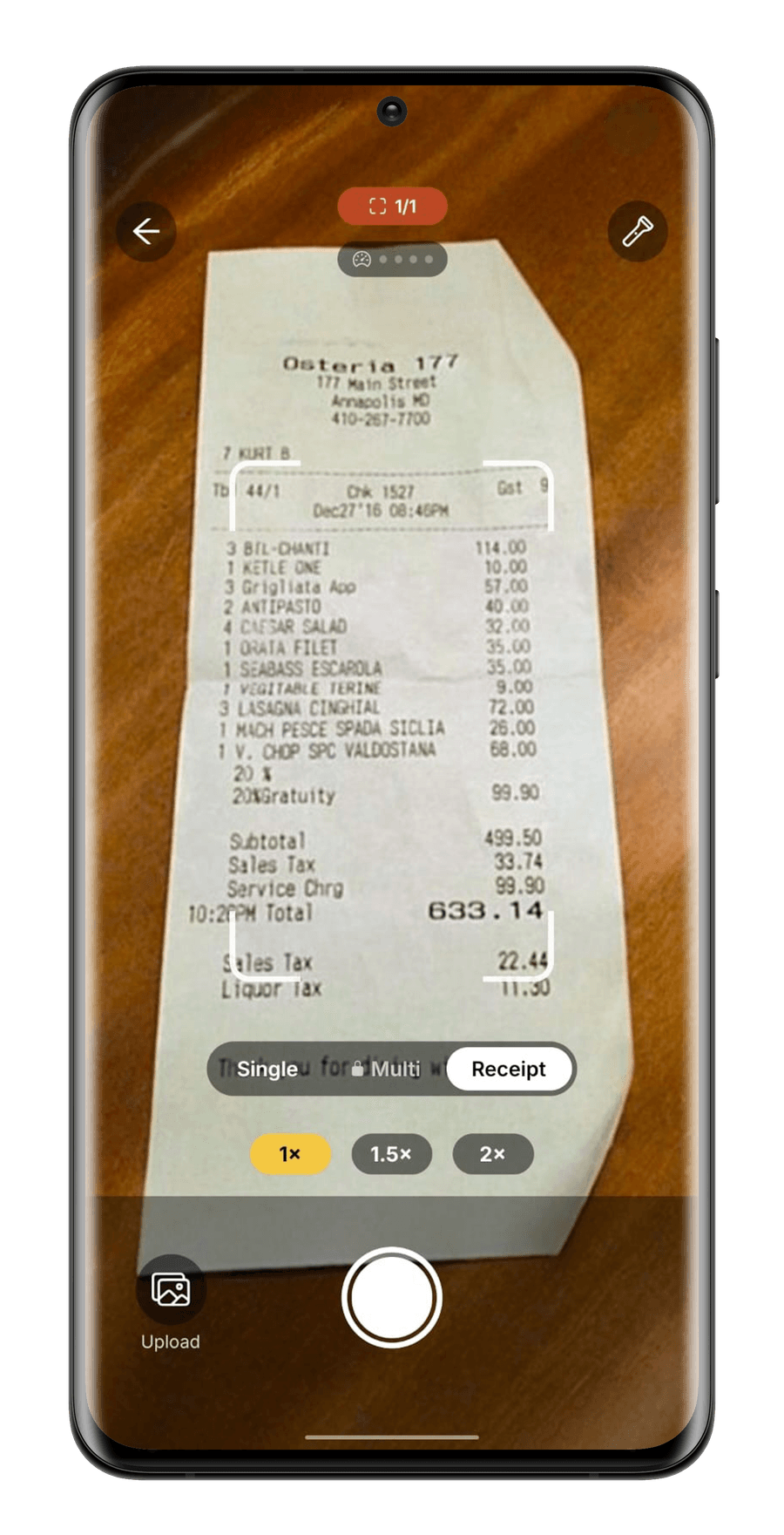
StillGood scanner in Receipt mode with a printed receipt in frame and the daily receipt allowance showing 1 of 1
The docket becomes pantry entries, without typing a line of it.
02Pantry

Everything you own, counting down.

The scan lands here. Every item carries the days it has left and sorts itself so the urgent things sit at the top, which is the whole difference between food you remember and food you find too late.

  • Days left on every item, soonest first
  • Fridge, freezer, counter and cellar filters
  • Expiring, expired and consumed totals at a glance
  • Each row remembers how it got there and where its date came from
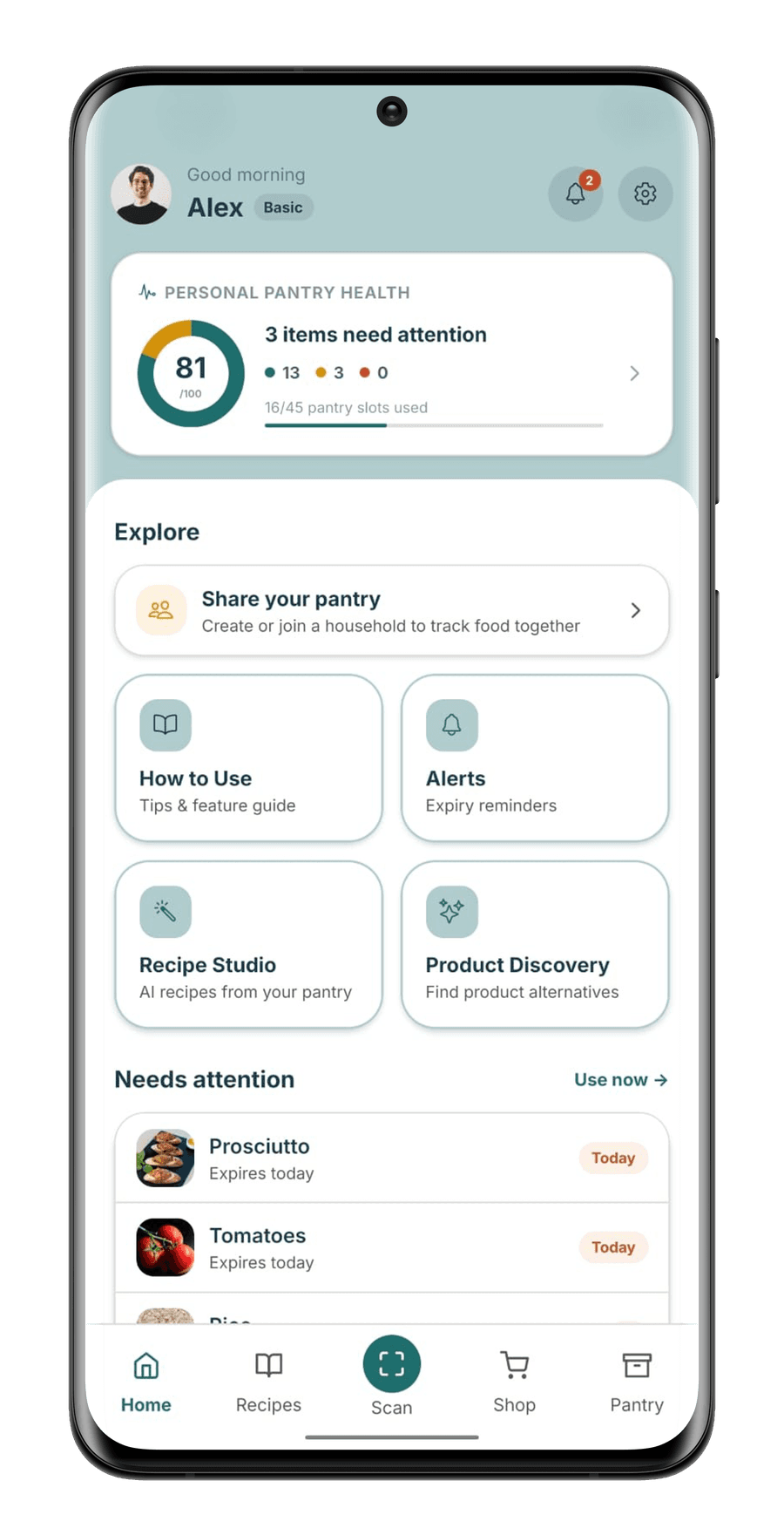
StillGood pantry on Basic showing 15 of 45 slots used, with tomatoes due today, rice tomorrow and butter with four days left
Tomatoes today, rice tomorrow & butter with four days left, inside 45 slots.
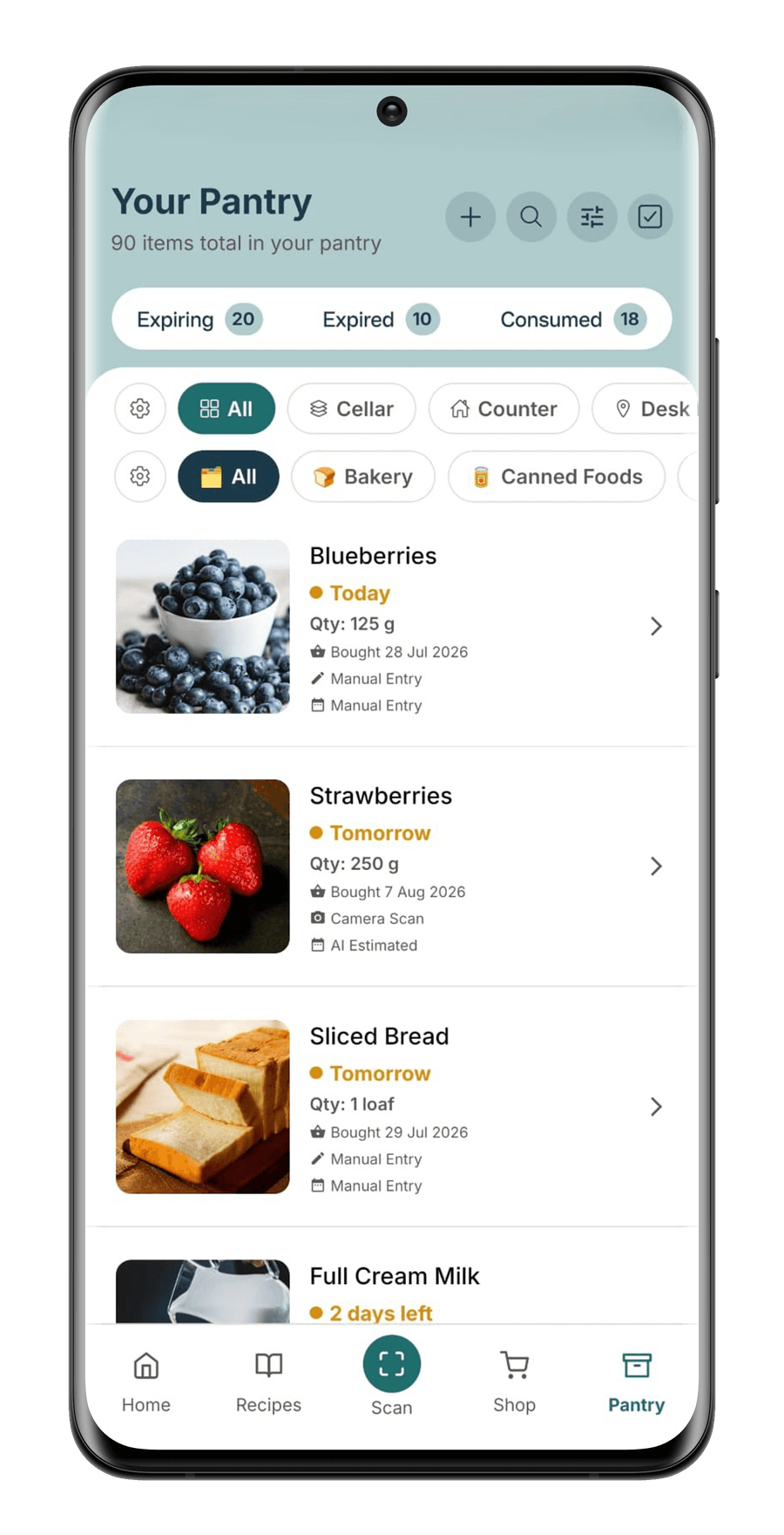
StillGood pantry on Pro showing 90 items with no slot limit, strawberries marked Camera Scan and AI Estimated
Pro & FamilyNo slot counter at all, & a row scanned by camera carries an AI estimated date.
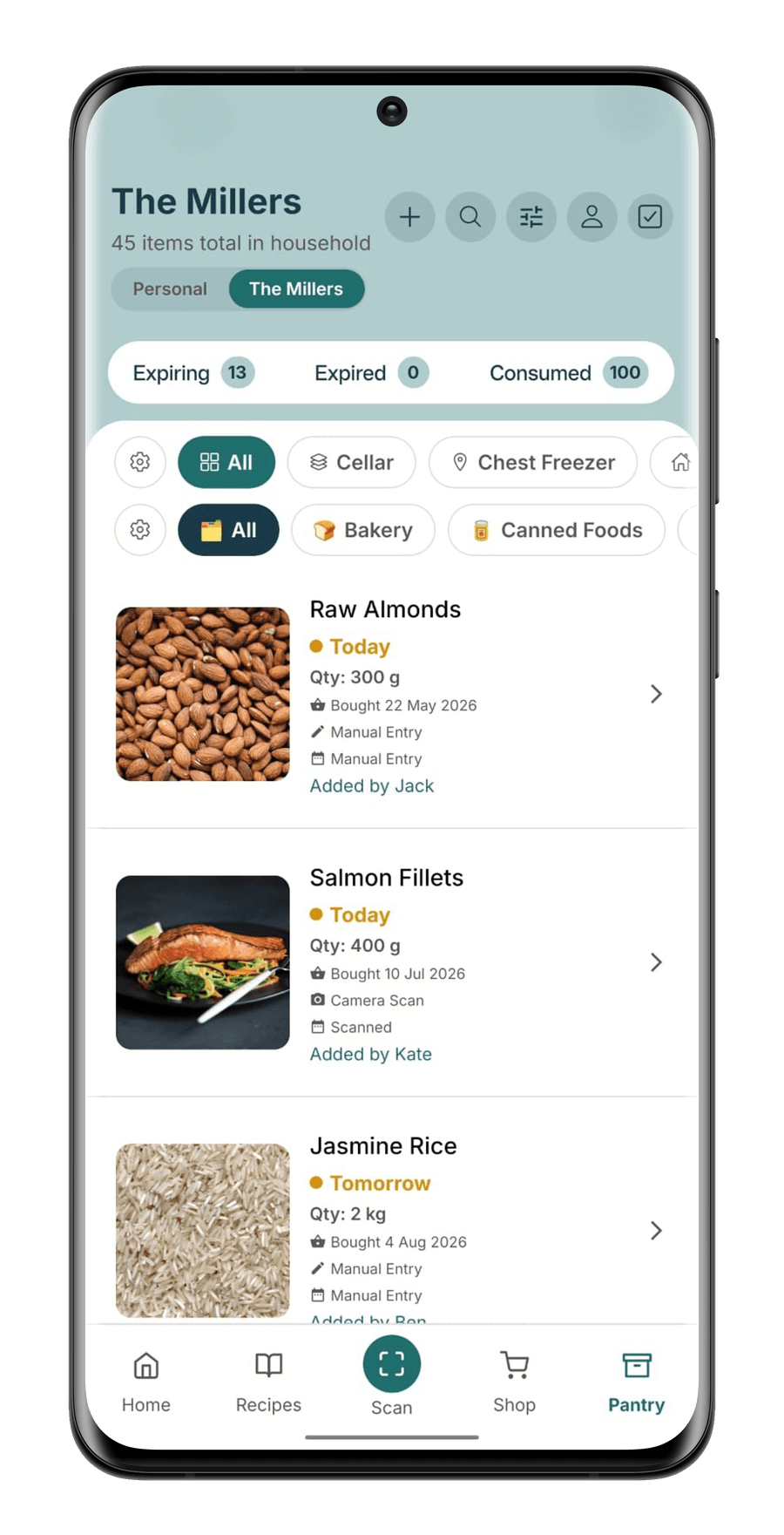
StillGood household pantry named The Millers, toggled between Personal and the household, with rows added by Jack, Kate and Ben
Family onlyA shared pantry beside your own, & every row says who put it there.
03Recipes

Dinner picks itself.

Those same three items come back as dinner. Recipes are ranked by how much of your expiring food they use, so the one at the top is the one that saves the most, and whatever you are short of becomes the shopping list.

  • “Uses 3 expiring items” ranking puts rescue meals first
  • What you have and what's missing, before you start cooking
  • Recipe Studio builds one around ingredients you pick, on Pro and Family
  • Smart Shop sends the gaps to your list in one tap
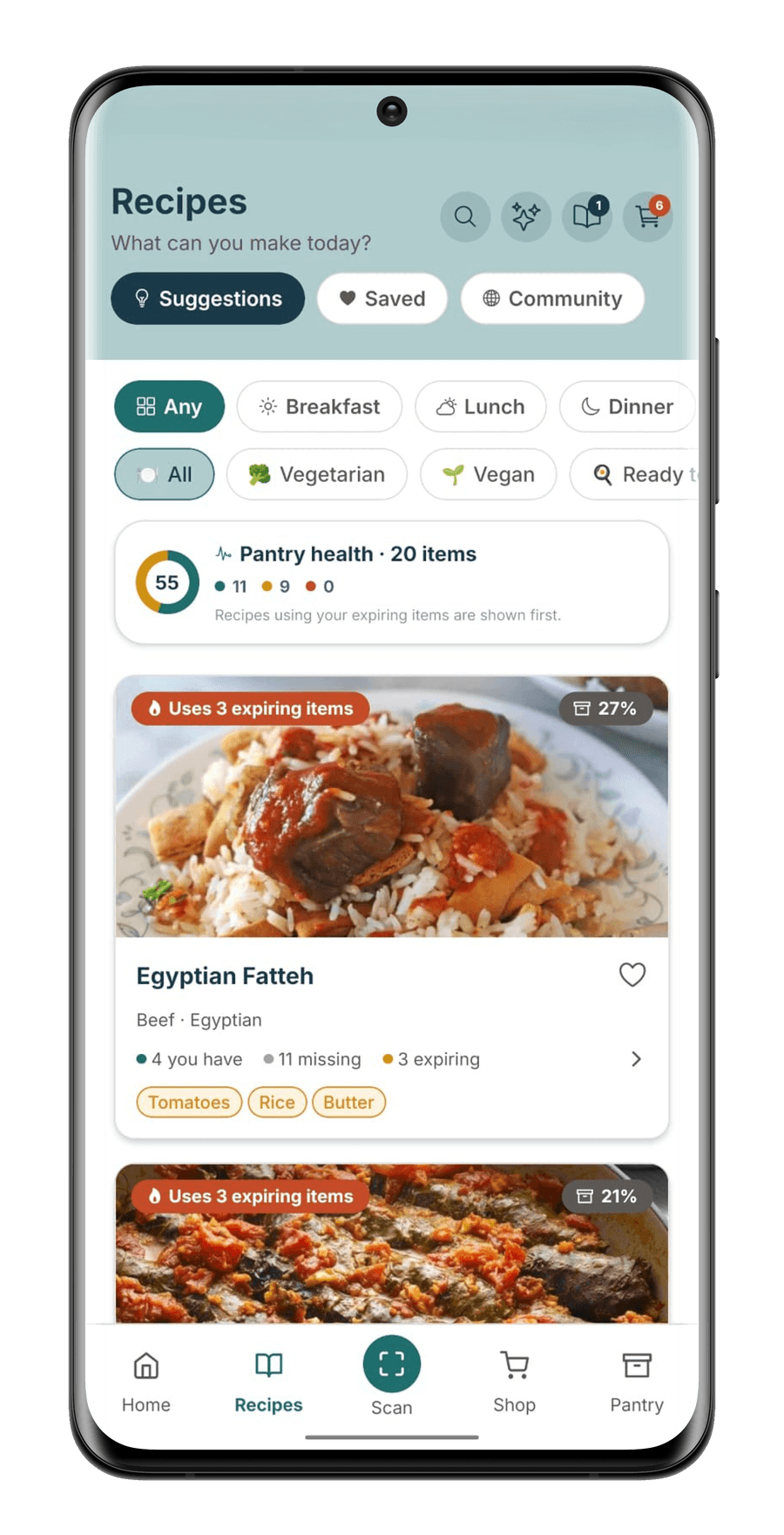
StillGood recipe suggestions: Egyptian Fatteh tagged Uses 3 expiring items, listing tomatoes, rice and butter
Egyptian Fatteh, using the tomatoes, rice & butter.
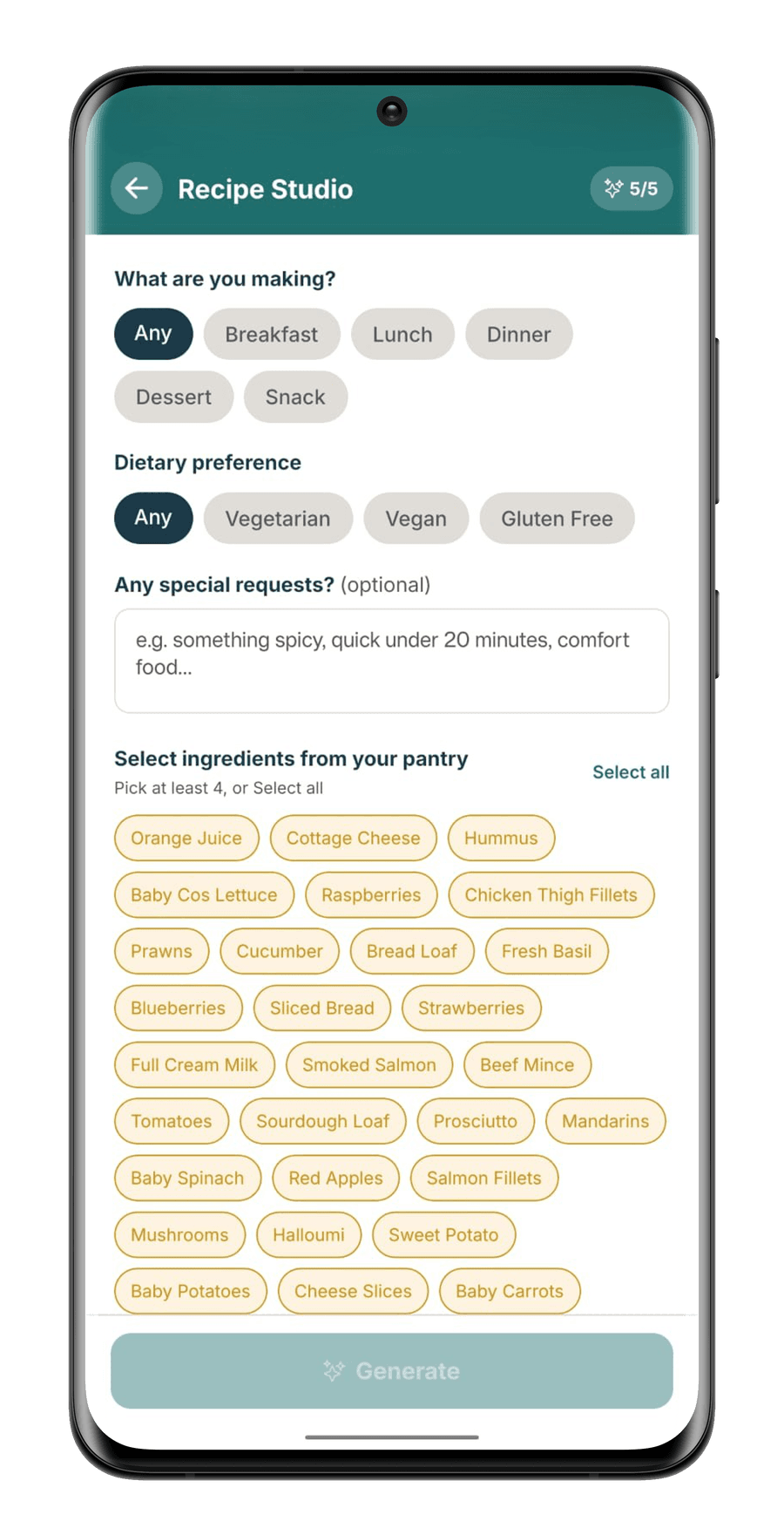
StillGood Recipe Studio: meal and dietary choices above a grid of pantry ingredients to select, with a Generate button
Pro & FamilyPick the ingredients, set the meal, & it writes one for you.
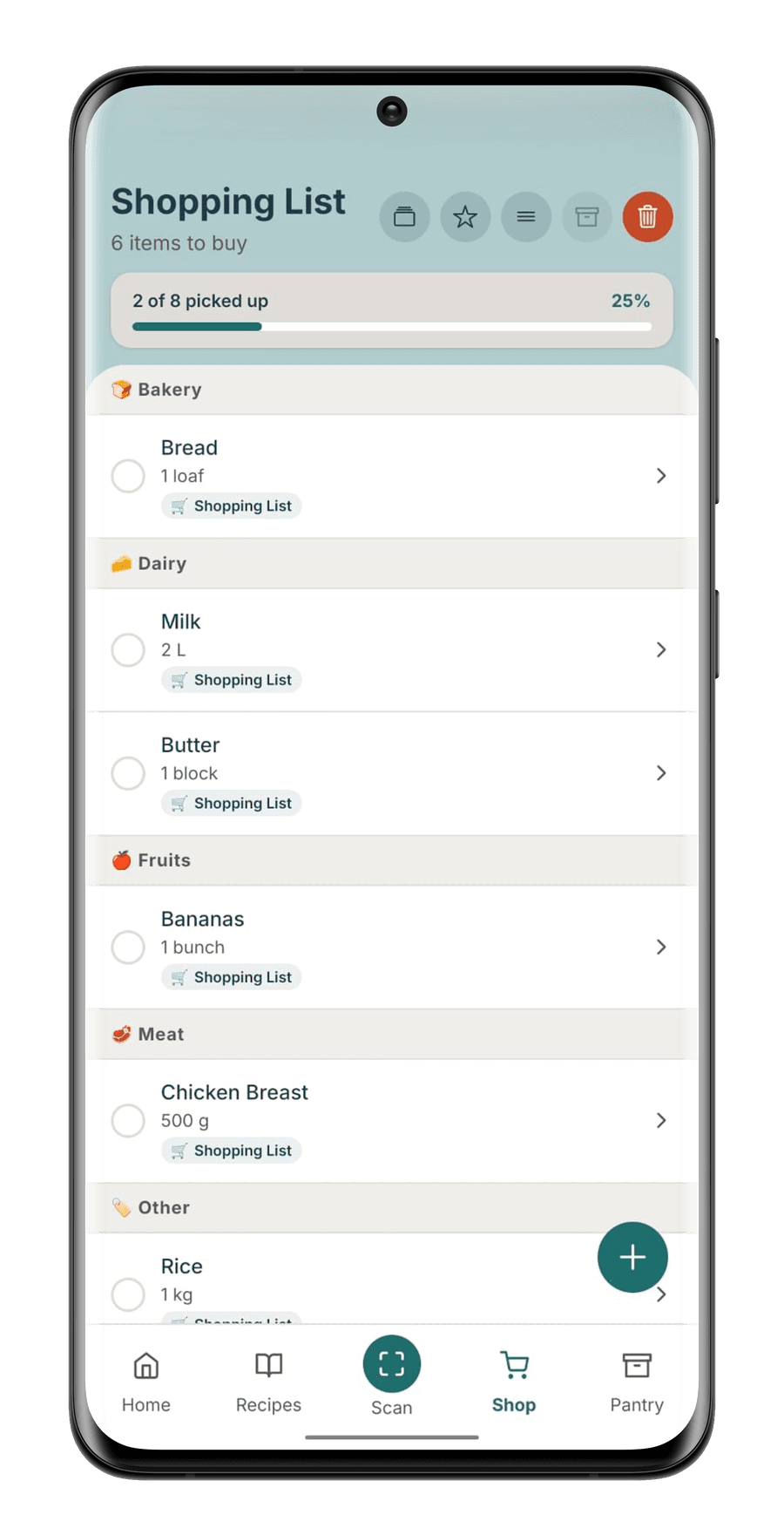
StillGood shopping list grouped into bakery, dairy, fruits and meat, showing two of eight picked up
What you're short of lands on the list, grouped by aisle.
04Alerts

It tells you before you'd have noticed.

This is the step that closes the loop. You choose when StillGood is allowed to interrupt, and the countdown comes to you instead of waiting to be checked.

  • Expiry alerts on your schedule, morning or evening
  • A recipe nudge built around what is closest to expiry
  • A monthly summary of what stayed out of the bin
  • Every alert also lands in an inbox inside the app
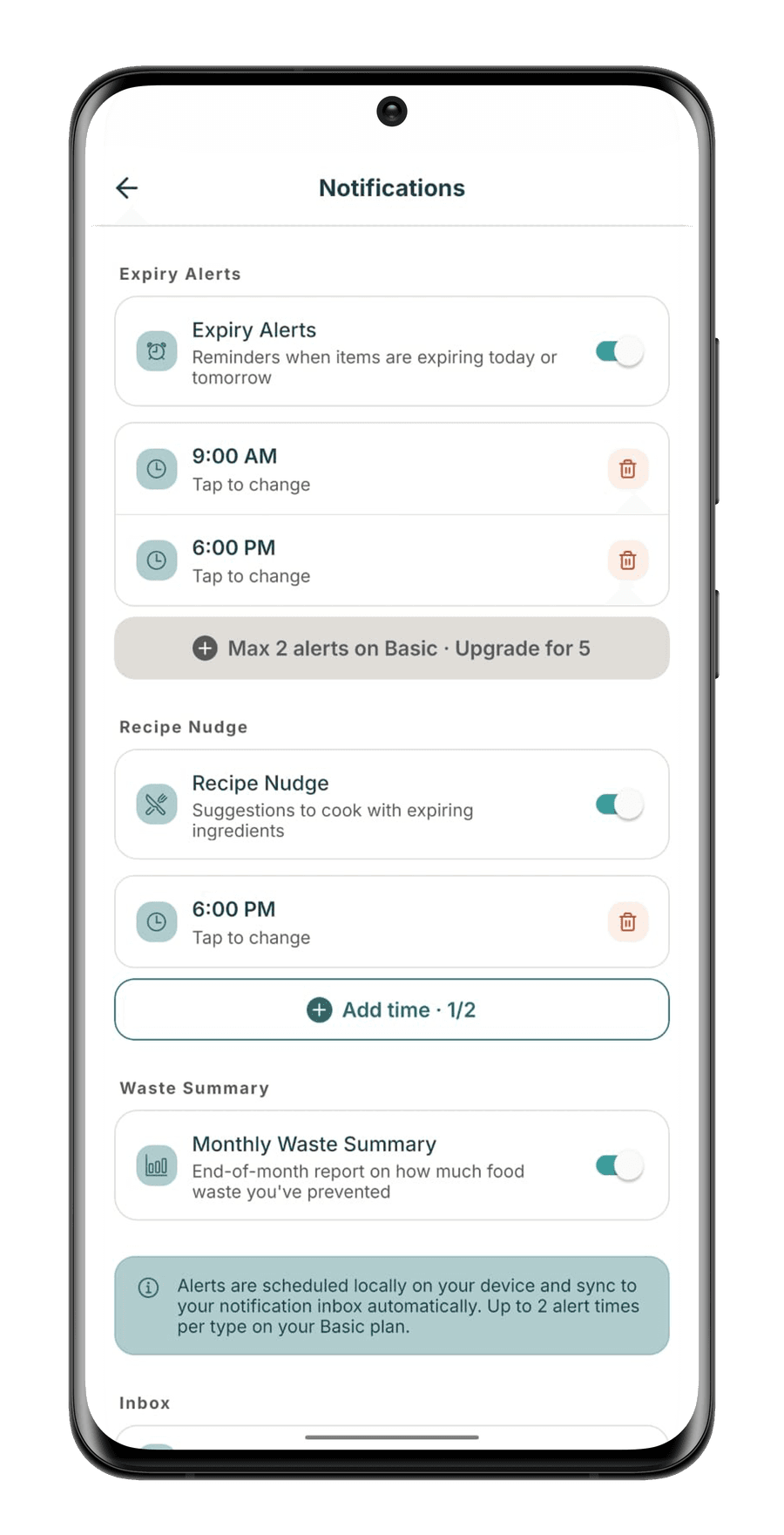
StillGood notification settings on Basic: expiry alerts at 9:00 AM and 6:00 PM, a note reading max 2 alerts on Basic, and a monthly waste summary toggle
Two expiry alerts & two recipe nudges, at times you choose.
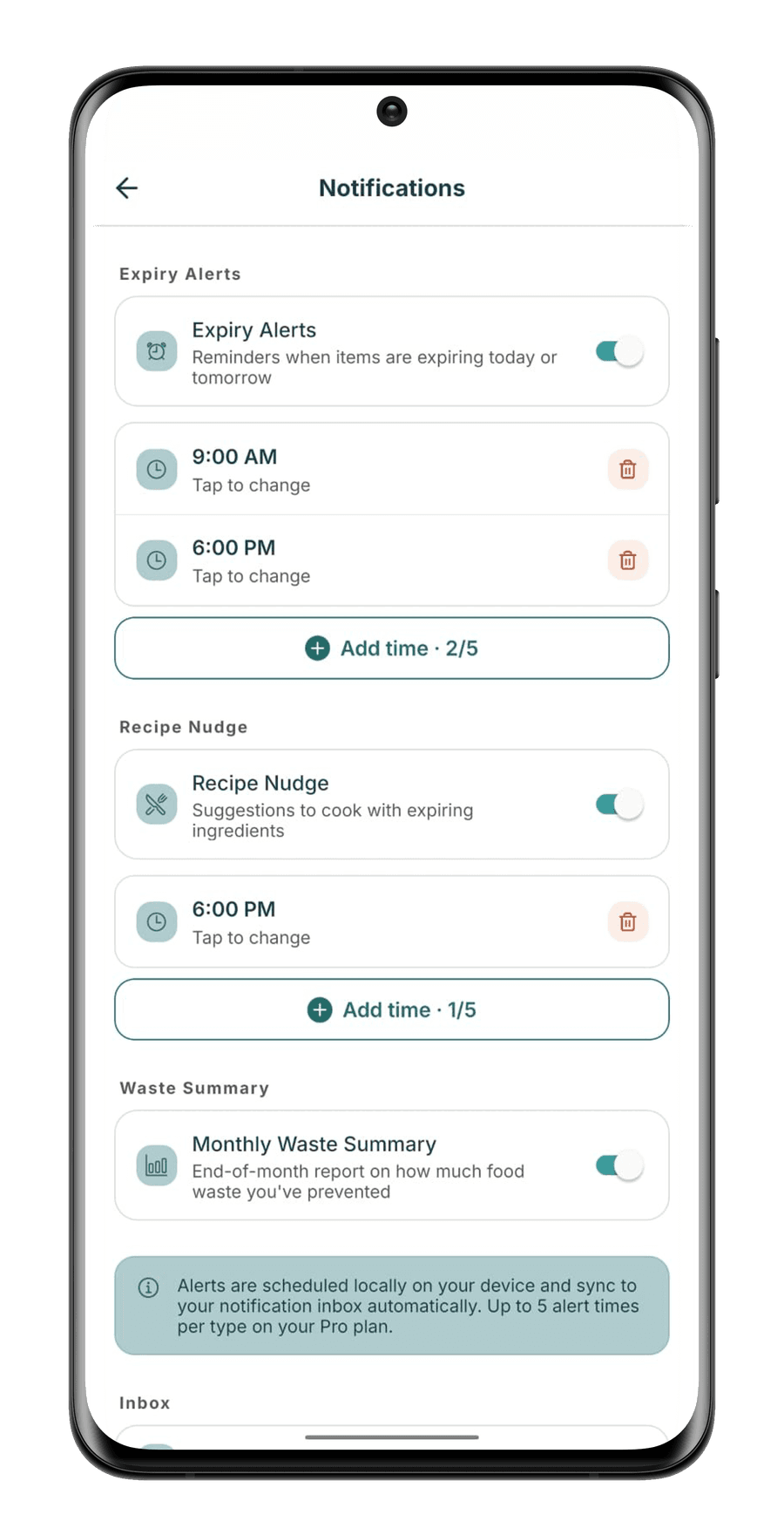
StillGood notification settings on Pro showing add time 2 of 5 for expiry alerts and 1 of 5 for recipe nudges, above a note reading up to 5 alert times per type on your Pro plan
Pro & FamilyRoom for five of each, so a long day gets more than one chance.
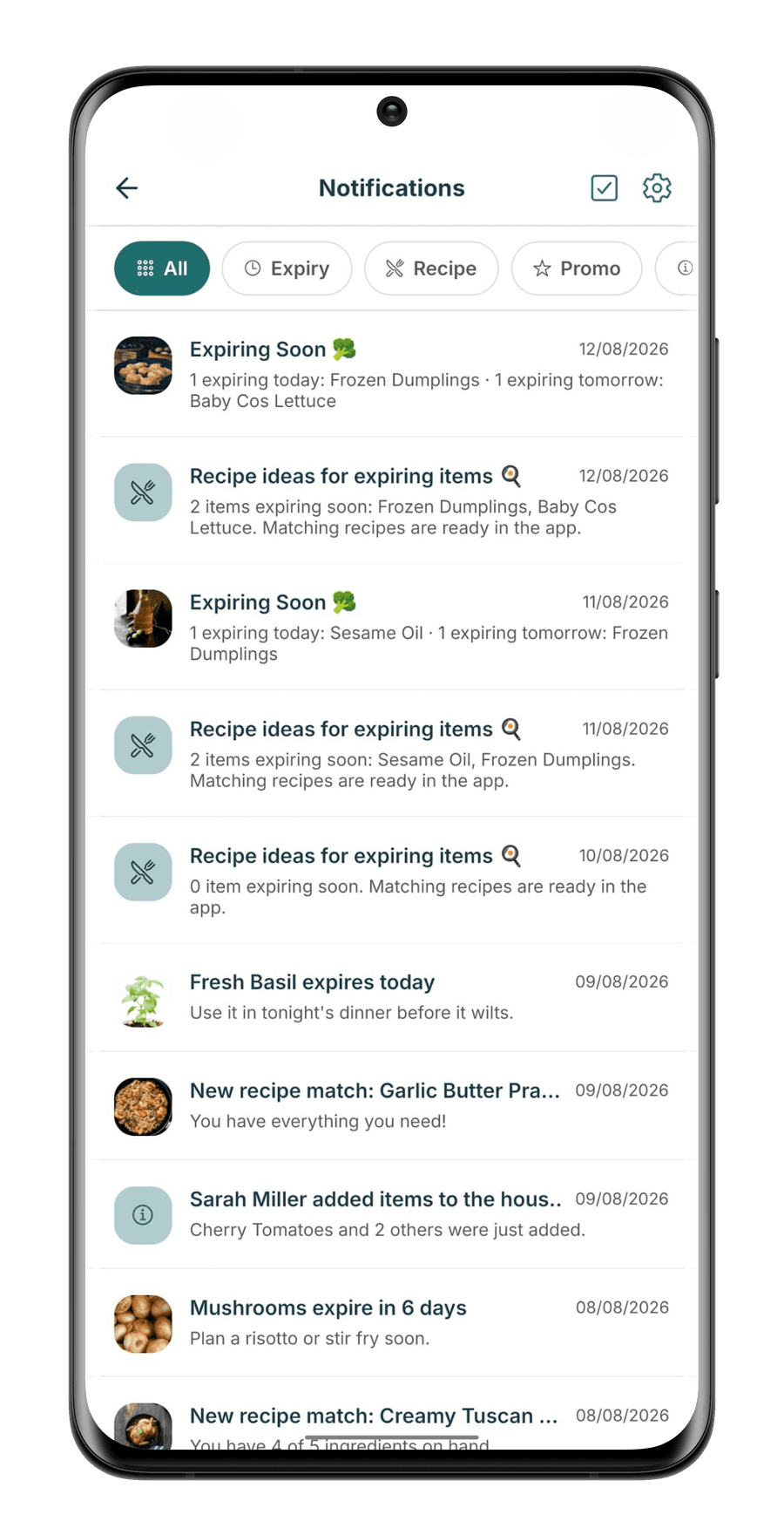
StillGood notification inbox filtered by All, Expiry, Recipe and Promo, listing expiry and recipe alerts alongside a notice that Sarah Miller added items to the household
Family onlyThe inbox keeps every alert, & adds what the rest of the household has been doing.
And then it starts again.Dinner empties the pantry, the shop refills it, and the next thing you unpack is step 01. Take it from the top.
Why StillGood

Not just another pantry app.

StillGoodNoWasteFridgelyKitchenPal
Adding items
Photo + barcode + receipt, AI-read
Barcode + photo + receipt
Barcode + receipt
Mostly manual
Expiry dates
AI estimated, Pro and Family
Estimated by food type
Estimated from barcode
Manual entry
Recipes
Ranked by expiry + AI-generated
AI suggestions
Ingredient matching
Ingredient matching
Shopping ↔ pantry
Synced both ways, Pro and Family
One-way list only
Not offered
Partially synced
Household sharing
Shared + personal, who-added-what
Shared inventory
Shared space
Shared lists
Waste tracking
Monthly summary, AI insights on paid
Basic stats widget
Not offered
Not offered
Getting started
Free, no card required
Free + $6.99/yr
$1.99 one-time
Free (capped) + $3.99/mo

Based on each app's public app-store listings and official sites, July 2026. Not sponsored, and features and pricing change.

Plans · all prices AUD

Start free. Upgrade when you're ready.

Basic

Free

Everything you need to get started

  • Gemini 2.5 Flash-Lite · 8 scans/day
  • 45 pantry items
  • 2 expiry + 2 recipe alerts
Most popular

Pro

AU$7.99/month

For serious food savers

  • Gemini 3.1 Flash-Lite · 25 AI scans/day
  • Unlimited pantry items
  • Full analytics + waste trends

Family

AU$12.99/month

+ AU$3.99 one-time per extra member

For the whole household

  • Gemini 3.1 Flash-Lite · 60 AI scans/day, shared
  • Up to 4 included members, 8 max with extra seats
  • Household analytics + family trends

Every plan is the same app.

Nothing is held back to make a screenshot look good. Upgrading raises the limits and adds the household, it doesn't hand you a different product.

Basic

The whole loop: scan, track, cook, restock. Room for a light kitchen, and no card required.

  • Gemini 2.5 Flash-Lite, 8 AI scans a day
  • 45 pantry slots, with a bar showing where you are
  • One shopping list, and bulk import to fill it fast
  • Two expiry alert times and two recipe nudges
StillGood home screen with a pantry health score of 81 and a list of items expiring today

What needs you, first

FeatureBasicProFamily
Scanner
AI modelGemini 2.5 Flash-LiteGemini 3.1 Flash-LiteGemini 3.1 Flash-Lite
Rate limit2 / min4 / min4 / min
Daily AI scan cap8 per day25 per day60 per day, shared
Expiry date scannerManual inputAI estimatedAI estimated
Receipt scanning1 per day5 per day10 per day, shared
Pantry
Item storage45 itemsUnlimitedUnlimited
Filter by memberNoNoYes
Pantry history, who added whatNoNoYes
Family + personal pantryNoNoYes, both unlimited
Product DiscoveryNo15 searches/day10 searches/day per member
Recipes
Community recipesLockedView, create, reviewView, create, review
Recipe historyLatest 3UnlimitedUnlimited
Recipe Studio AI generationNo5/day12/day, shared
Smart Shop, auto-adds missing recipe itemsYesYesYes
Notifications
Expiry alertsUp to 2Up to 5Up to 5
Recipe alertsUp to 2Up to 5Up to 5
Monthly waste summary1/month1/month1/month
Analytics
Data analyticsNoPersonal dataPersonal + household data
AI insightsNoPersonal, 1/hour, 6/dayPersonal + household, 1/hour, 6/day personal + 4/day household
Waste trackingNoPersonalPersonal + household
Shopping list
Number of listsMax 1Max 3Max 5
Smart Checkout, ticked items into the pantryNoYesYes
Assign items to members / view who addedNoNoYes
Family sharing
Members includedNoNoUp to 4 included
Additional membersNoNo+AU$3.99 one-time each, capped at 8 total
  • Out now on Google Play. Every plan starts free, no card required, and you upgrade inside the app.
  • Family covers up to 4 members including you; add up to 4 more for AU$3.99 one-time each.
Questions · answered

Before you ask

Anything else? Email hello@stillgoodapp.org. A human reads every message.

Yes. The Basic plan is free for good: 8 AI scans a day, 45 pantry items, and 2 expiry + 2 recipe alerts. When you want more, Pro is AU$7.99/month for 25 AI scans a day, an unlimited pantry and full analytics, and Family is AU$12.99/month for 60 shared scans a day across the whole household.

StillGood uses Google Gemini vision to identify food from photos. Point your camera at a product, a barcode or a whole grocery haul and it fills in the item name, category and expiry date. You review everything before it's saved, so nothing enters your pantry without your OK.

On Basic you enter dates yourself. On Pro and Family, StillGood reads printed dates with the camera, and when a product doesn't show one, like loose produce or opened jars, it estimates a sensible shelf life for you.

Family covers up to 4 members including you, all sharing a household pantry alongside personal ones. Need more seats? Add up to 4 extra members for a one-time AU$3.99 each (no extra subscription), up to 8 people total.

Yes. You pick the exact times StillGood is allowed to notify you: an expiry check in the morning, a recipe nudge before dinner. Basic includes 2 expiry and 2 recipe alerts; Pro and Family raise that to 5 of each.

Recipes are matched against what's actually in your pantry and ranked so the ones using your soonest-to-expire ingredients come first. Pro and Family also unlock Recipe Studio, which generates new AI recipes from your exact ingredients.

On Pro and Family, when you tick off shopping list items as purchased, Smart Checkout moves them straight into your pantry. No re-typing, no double handling. Your inventory stays in sync with your actual kitchen.

Android, right now. StillGood launched on Google Play on 26 August 2026, so you can download it and start scanning today. iOS is next: join the waitlist at the top of this page and we will email you the day it lands.

Your pantry is yours. Photos are processed to identify items and then discarded from the scanning pipeline; we don't sell personal data. The full details are in our privacy policy.

Best before never

Waste less from week one.

StillGood is out now on Google Play, free to start, with iOS to follow. Download it today and your fridge starts getting smarter this week.

Get it on Google Play

On iPhone? Join the iOS waitlist and we will tell you the day it lands.

Free to startOut now on AndroidNo card required